
Overview of the Commission’s Accreditation Data Dashboard
The Commission on Teacher Credentialing (Commission) has developed a set of data dashboards to provide graphical displays of information related to Commission-approved institutions.
The term “data dashboard” is defined as a group of interactive data visualizations displayed as tables and figures. The Accreditation Data Dashboard (ADD) can be used by accreditation teams and approved institutions as an additional tool to analyze institution and program information prior to and during accreditation reviews.
Data include each institution’s historical list of approved programs, annual data submitted via the Accreditation Data System (ADS), program completion survey results and Annual Report Card (Title II) for teacher preparation programs.
Step-by-step guide to accessing the ADD
IMPORTANT:
- Use a screen resolution above 1024×764 and 100% zoom to view the ADD without display issues.
- Do not click the internet browser back or forward buttons at any time while accessing the ADD.
It is not recommended to view the ADD on a tablet or phone.
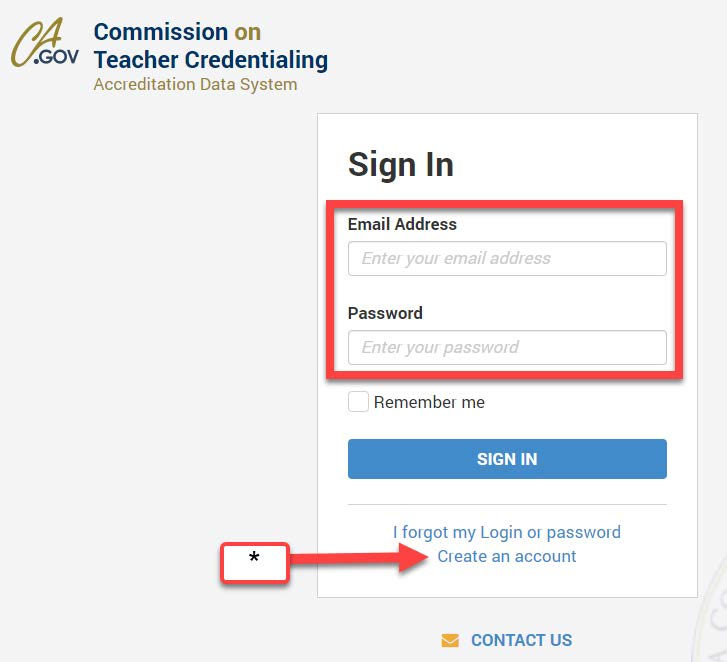
Step 1: Log In
On the ADS page, log in to the secure website using your email and password.
- If you do not have an account, click “Create an Account”.
- Follow the steps to complete the account setup.
Step 2: Select Institution
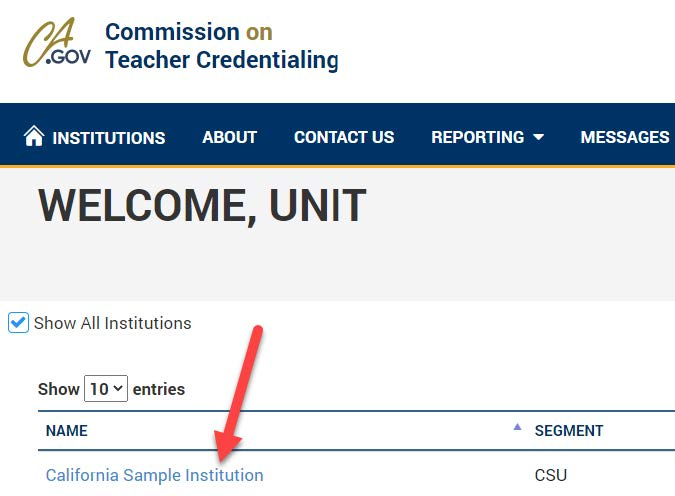
Select 3: Click Data Dashboard Button

Step 4: Explore Data Dashboard
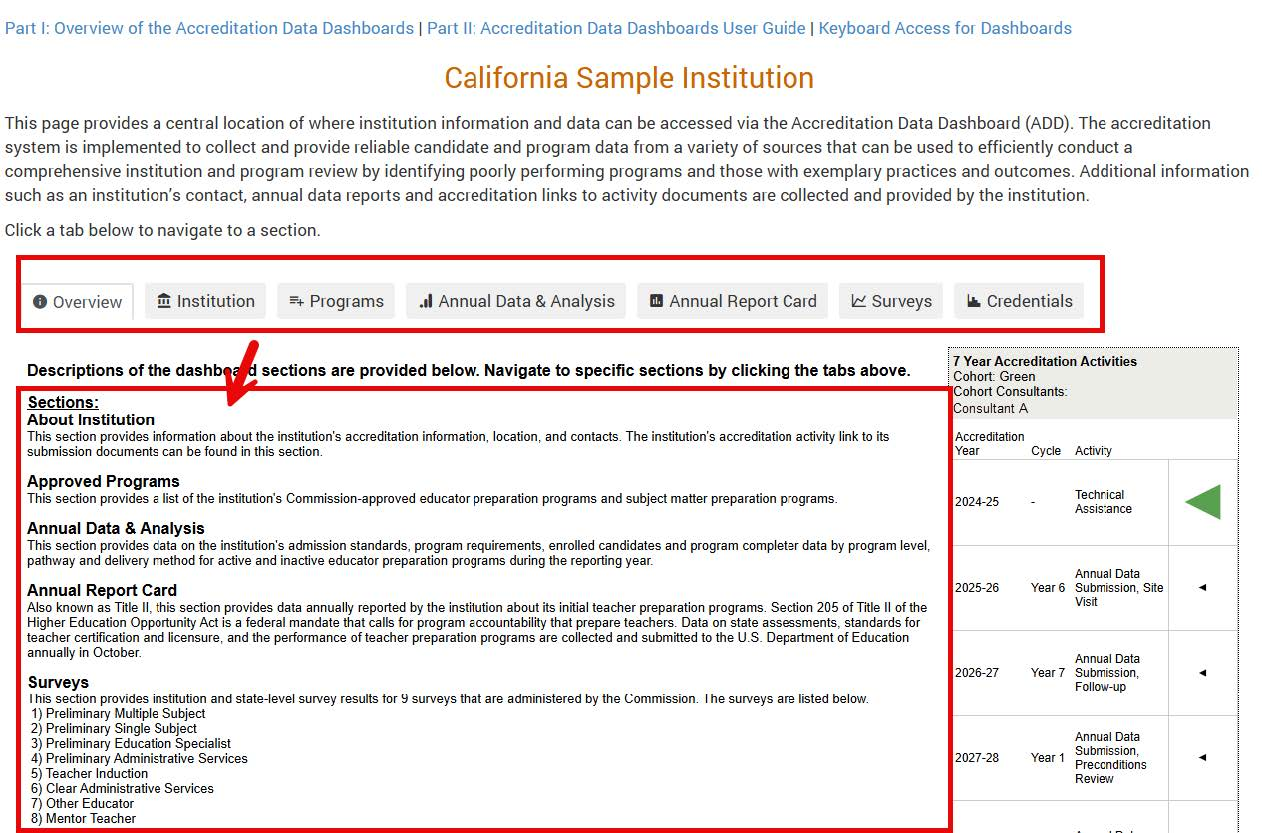
The system will redirect you to the Data Dashboard page.
Additional detailed user guides are available above the institution’s name.

Step 5: Review Overview Tab
Step 6: Access Various Tabs
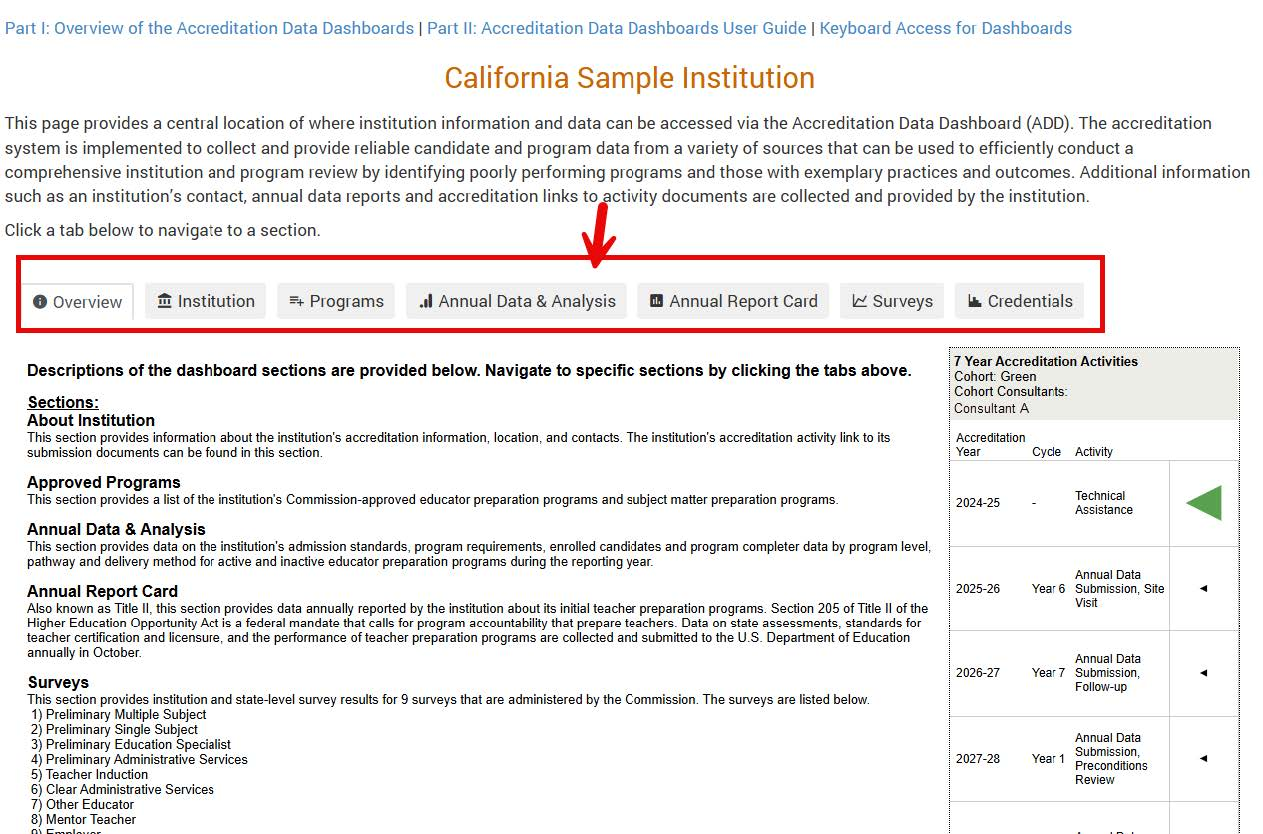
Select the tabs on the ADD to navigate to different sections.
Note: Tabs will be available across all dashboard pages.
Step 7: View Institution's Accreditation Cycle
The institution’s accreditation cycle is also displayed.
Note: Clicking on the table will not perform any action.

Step 8: Locate Additional Resources
Additional Resources are available. To access a specific webpage, click on one of the provided links.


Commission on Teacher Credentialing
651 Bannon Street
Sacramento, CA 95811