
Request to Change Your Identity Information
Educators that need to update certain identity information on file with the Commission, such as Name, Date of Birth, Social Security Number (SSN), or Individual Tax Identification Number (ITIN) must submit the request online through the Educator Credentialing System (ECS).
IMPORTANT:
Certain personal information cannot be changed using the ECS System. If you want to change your:
- Email Address
- Phone Number
- Mailing Address
- Last Known County of Employment
- Self-Identification (i.e., gender identity, ethnicity heritage, and sexual orientation)
You must follow the steps on the Update Information webpage.
Link your CTC Online Account with the new Educator Profile: Identity Information Change Request portal
To submit a request to change your name or identity information on file with the Commission, you will first need to gain access to ECS. If you have not yet linked your current CTC Online Account with ECS, please complete the steps below:
How to connect to ECS
After the Legal Disclaimer, you will be taken to the Personal Information page.
OR
Click Add or Change Address.
Note: A profile created by the recommending entity may contain only your name and email address.
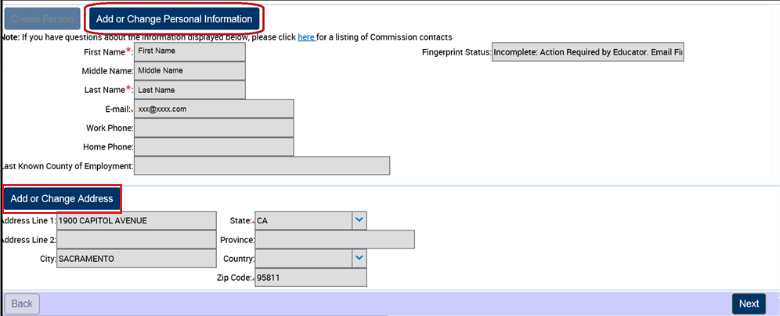
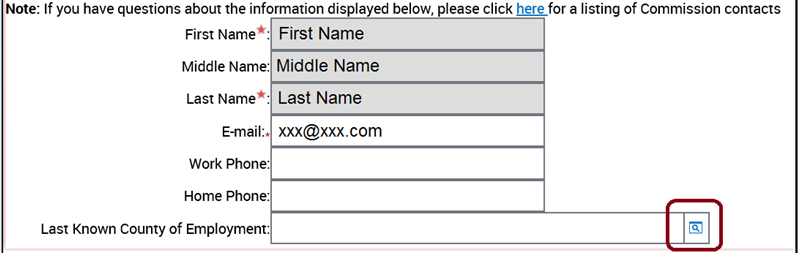
3. Enter your information in the section you wish to update.
Last Known County of Employment: Click the search icon on the right side of the field. Then select your County of Employment from the pop-up window.
If you are not currently employed, please enter your current county of residence.
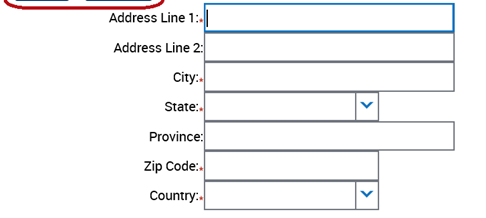
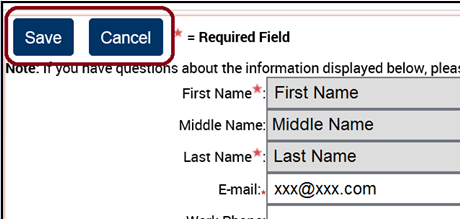
4. Click Save.
Note: You must click Save before clicking any other button, otherwise all changes will be lost.
5. If your address is accurate and the Country field displays the correct value, your changes were saved successfully.
Click Next to continue.

How to Submit a Request to Change your Identity Information
Per Title 5 California Code of Regulations §80002, educators are required to always have their full legal names and information on file with the Commission. To update or correct your identity information, you will need to select the appropriate option(s) and include all corresponding supporting documentation related to the change, as shown in the dropdowns below:
Please Note: You may select more than one change per submission request as needed (e.g. request for name change and date of birth). You must provide all of the corresponding required documentation and ensure they are correctly uploaded before the change request can be submitted.
Name Change due to Marriage

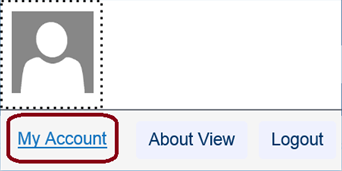
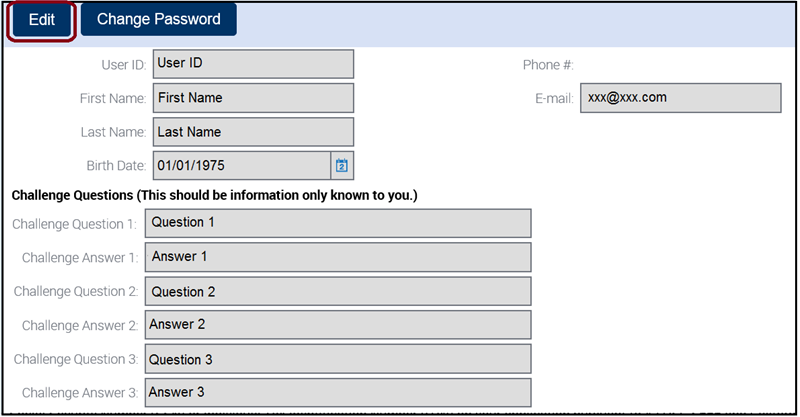
4. Click Edit to change your current information.
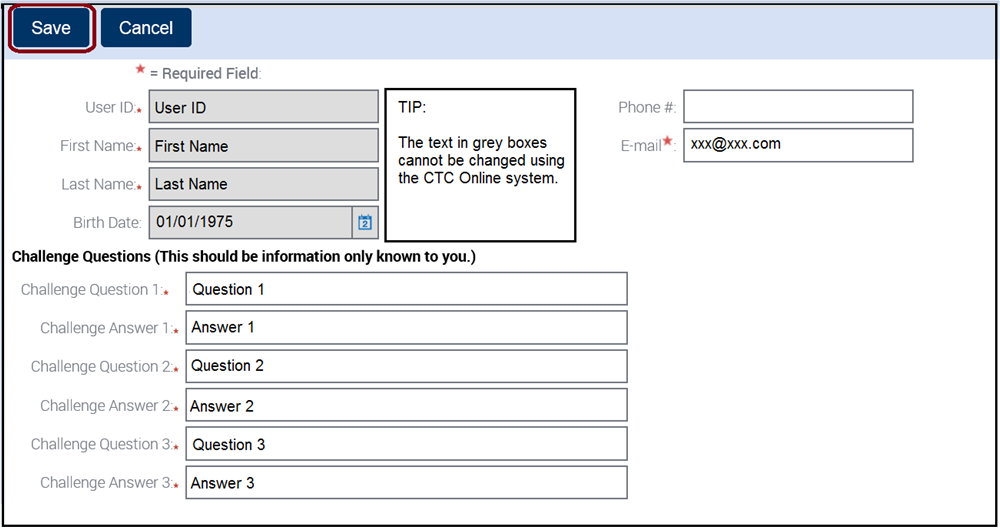
To edit the information in a particular field, first click into the field and delete the current text. Then enter the new information.
Name Change due to Superior Court
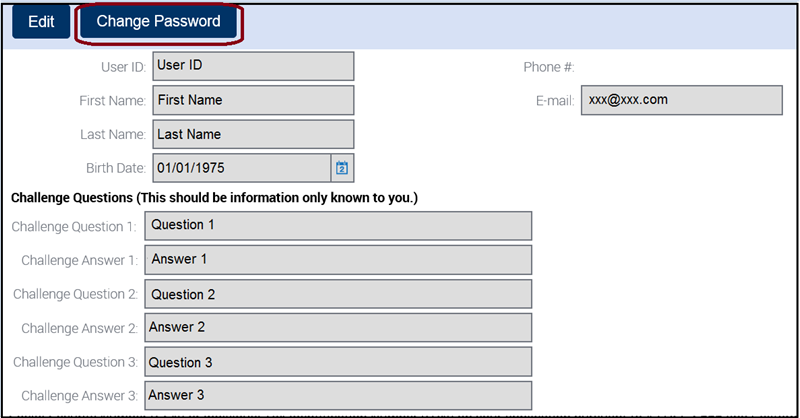
5. Enter your Temporary Password from Email and your New Password.
Enter your new Password a second time to verify it is correct.
Click Save at the bottom of the page.
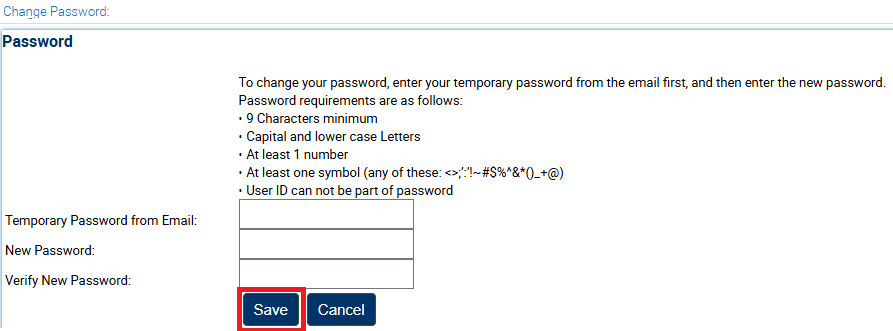
Name Change due to Dissolution of Marriage
5. Enter your Temporary Password from Email and your New Password.
Enter your new Password a second time to verify it is correct.
Click Save at the bottom of the page.
Name Change due to Citizenship
5. Enter your Temporary Password from Email and your New Password.
Enter your new Password a second time to verify it is correct.
Click Save at the bottom of the page.
Name Change due to Correction
5. Enter your Temporary Password from Email and your New Password.
Enter your new Password a second time to verify it is correct.
Click Save at the bottom of the page.
Date of Birth Change
5. Enter your Temporary Password from Email and your New Password.
Enter your new Password a second time to verify it is correct.
Click Save at the bottom of the page.
Social Security Number (SSN) or Individual Tax Identification Number (ITIN) Change
5. Enter your Temporary Password from Email and your New Password.
Enter your new Password a second time to verify it is correct.
Click Save at the bottom of the page.
Processing Time and Returned Requests
The Commission processes requests to change your identity information on file in the order in which they are received, which is typically within four weeks. However, as we receive a high volume of these requests, our processing times vary. Unfortunately, there is no expedite procedure.
Once your request has been approved by Commission staff, the change will be reflected in ECS and your CTC Online account. You will also be sent an automated email notifying you that the request has been processed.
View Pending Changes
5. Enter your Temporary Password from Email and your New Password.
Enter your new Password a second time to verify it is correct.
Click Save at the bottom of the page.
Submitting Additional Documentation for Identity Information Change
5. Enter your Temporary Password from Email and your New Password.
Enter your new Password a second time to verify it is correct.
Click Save at the bottom of the page.

Commission on Teacher Credentialing
651 Bannon Street
Sacramento, CA 95811